# Getting started with Snyk Open Source
Use Snyk Open Source to scan and fix vulnerabilities in your application's Open Source libraries, for a [supported language and package manager](https://docs.snyk.io/~/changes/m2hJeDrttXy2N83AnRjM/scan-application-code/snyk-open-source/snyk-open-source-supported-languages-and-package-managers), such as Java.
{% hint style="info" %}
This process describes getting started using the [Snyk Web UI](https://docs.snyk.io/~/changes/m2hJeDrttXy2N83AnRjM/getting-started/quickstart/create-a-snyk-account/logging-in-to-an-existing-account) with a Git-based source repository.
* You can also use an [IDE tool](https://docs.snyk.io/integrations/ide-tools) or a [CI/CD integration](https://docs.snyk.io/integrations/ci-cd-integrations). See [Integrations](https://docs.snyk.io/integrations).
* You can also [use Snyk Open Source from the CLI](https://docs.snyk.io/~/changes/m2hJeDrttXy2N83AnRjM/scan-application-code/snyk-open-source/use-snyk-open-source-from-the-cli).
{% endhint %}
### **Prerequisites**
Ensure you have:
* [Created a Snyk account](https://docs.snyk.io/~/changes/m2hJeDrttXy2N83AnRjM/getting-started/quickstart/create-a-snyk-account).
* [Set up integration](https://docs.snyk.io/~/changes/m2hJeDrttXy2N83AnRjM/getting-started/quickstart/set-up-an-integration) with your code repository on a supported system such as GitHub.
* [Imported a Snyk Project for scanning](https://docs.snyk.io/~/changes/m2hJeDrttXy2N83AnRjM/getting-started/quickstart/import-a-project)
See the [Getting started](https://docs.snyk.io/~/changes/m2hJeDrttXy2N83AnRjM/getting-started) section for more details.
### View vulnerabilities
You can view vulnerability results for imported Projects. The **Projects** tab appears by default after import, showing vulnerability information for Snyk Projects you've imported, grouped into Targets.
You can expand a Target to see vulnerability information for Projects, including the number of issues found, grouped by severity level:
Projects overview
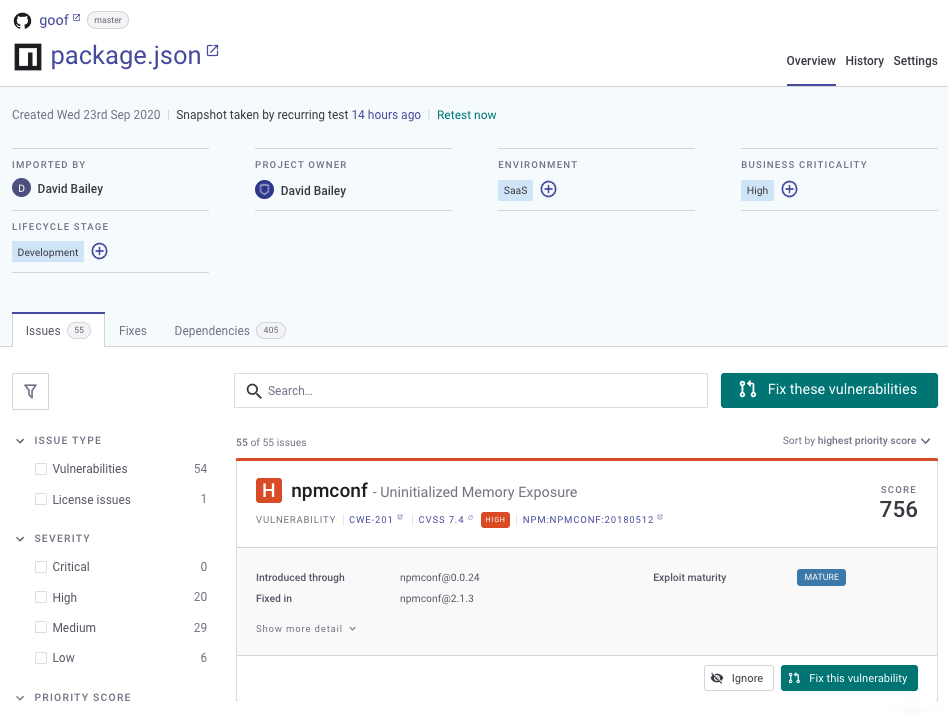
Click an entry to open the issues view for that entry, including the module where it was introduced, how to fix it, plus more details about the vulnerability itself.
Open source project overview
See [View Project information](https://docs.snyk.io/~/changes/m2hJeDrttXy2N83AnRjM/manage-issues/introduction-to-snyk-projects/view-project-information) for more details.
### Fix vulnerabilities
For some languages, Snyk can fix vulnerabilities using fix pull/merge requests (see [What languages do we support Fix Pull Request or Merge Requests](https://docs.snyk.io/~/changes/m2hJeDrttXy2N83AnRjM/scan-application-code/snyk-open-source/starting-to-fix-vulnerabilities/what-languages-do-we-support-fix-pull-requests-or-merge-requests)).
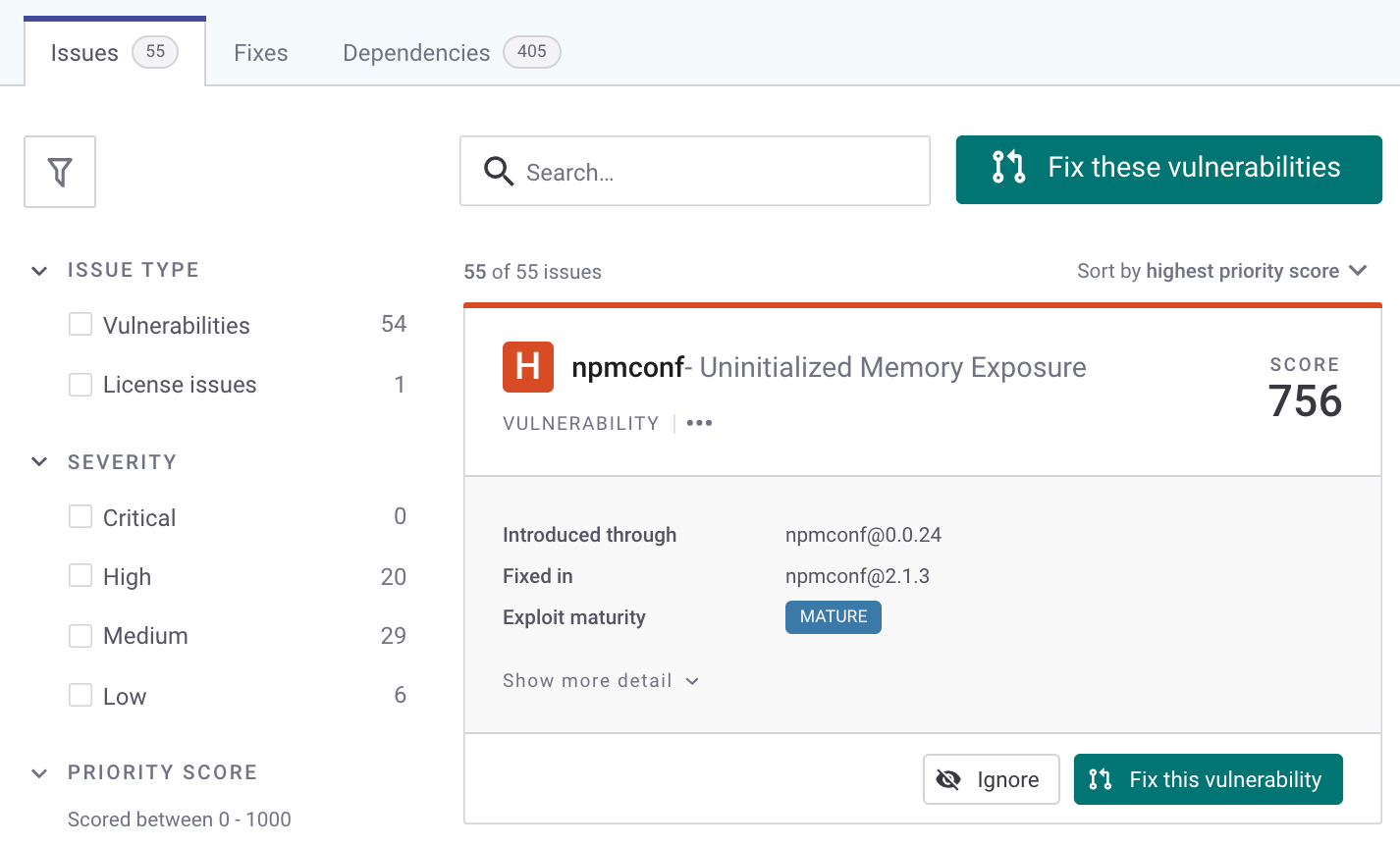
Navigate to the **Issues** view for a project:
Issues tab in open source project
To fix vulnerabilities:
1. Click **Fix this vulnerability** to raise a fix PR for that issue (or click **Fix these vulnerabilities** to fix multiple issues).
2. The **Open a Fix PR** screen opens and indicates the selected vulnerabilities.
3. Check or uncheck the issues you want to fix or remove from this fix.
4. Scroll to the bottom of the screen and click **Open a Fix PR**.
5. Snyk acts on the PR and displays a results screen.
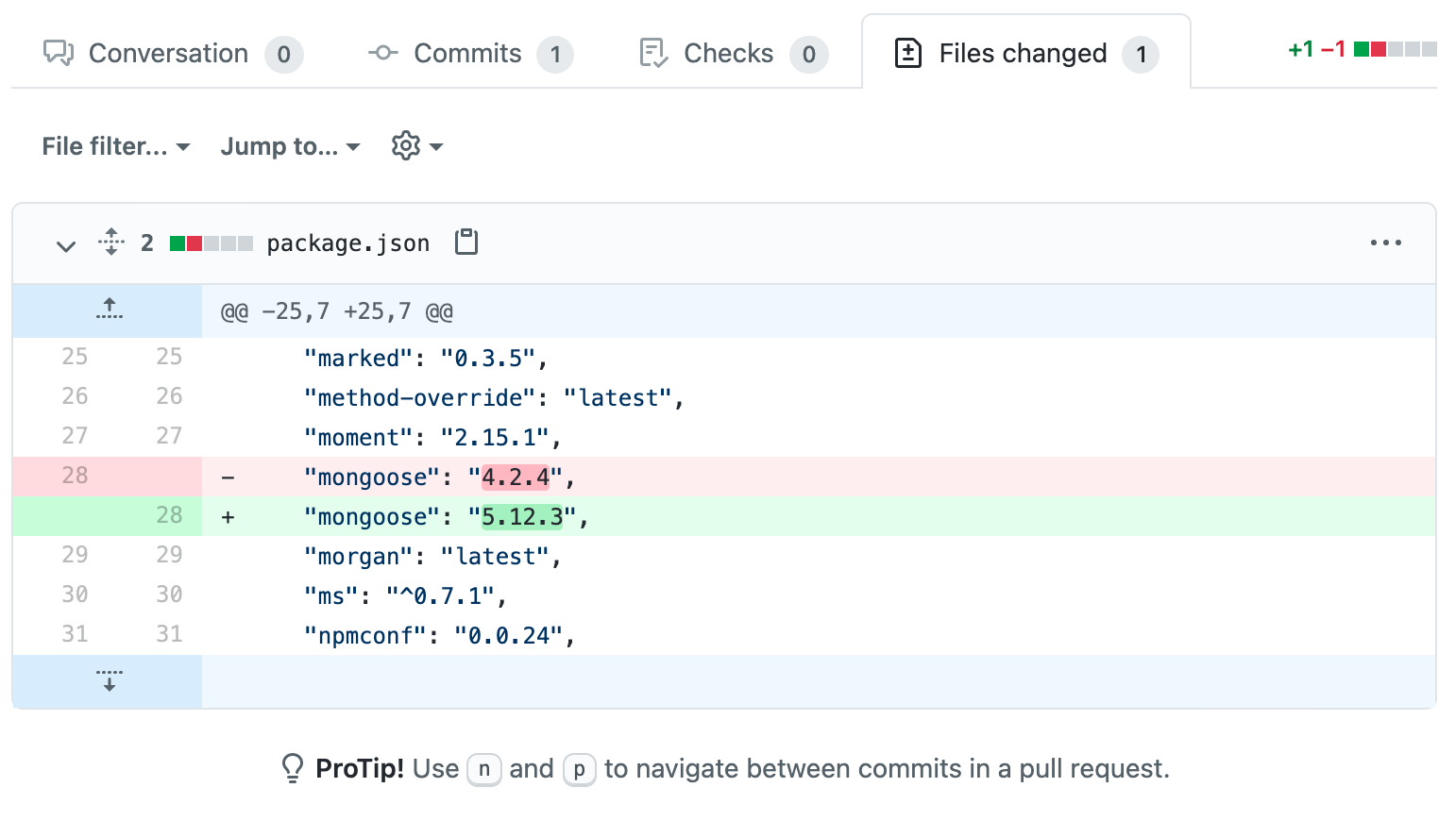
6. Optionally, select the **Files changed** tab to see details of the changes made.
Files changed tab in GitHub after triggering Fix PR for an open source project
See [Fix your vulnerabilities](https://docs.snyk.io/~/changes/m2hJeDrttXy2N83AnRjM/scan-application-code/snyk-open-source/starting-to-fix-vulnerabilities/fix-your-vulnerabilities) for more details.