# Fix your first vulnerability
## **Introduction**
{% hint style="info" %}
**Recap**\
You have [viewed Snyk Projects](https://docs.snyk.io/~/changes/m2hJeDrttXy2N83AnRjM/getting-started/walkthrough-code-repository-projects/view-your-first-snyk-projects) and [understood their vulnerabilities](https://docs.snyk.io/~/changes/m2hJeDrttXy2N83AnRjM/getting-started/walkthrough-code-repository-projects/understand-your-vulnerabilities).
{% endhint %}
You can now start to resolve these vulnerabilities.
### How can I resolve an issue?
When we open a Snyk Project file, we see the list of issues Snyk has found in this Project, and we can research each issue, using Snyk and other sources of information.
Different actions may be available for each vulnerability:
* Fix the vulnerability immediately, by raising a Fix PR. See ["Fix this vulnerability" function](#fix-this-vulnerability-function).
* Ignore the vulnerability, permanently or temporarily. See [Ignore the vulnerability](#ignore-the-vulnerability).
* Assign the vulnerability to research and fix (see [Assign fix work](https://docs.snyk.io/~/changes/m2hJeDrttXy2N83AnRjM/getting-started/walkthrough-code-repository-projects/assign-fix-work) and [Fix your first vulnerability - deeper dive](https://docs.snyk.io/~/changes/m2hJeDrttXy2N83AnRjM/getting-started/walkthrough-code-repository-projects/fix-your-first-vulnerability-deeper-dive))
{% hint style="info" %}
Snyk fix functions available depend on the vulnerability and the type of scanning.
{% endhint %}
### "Fix this vulnerability" function
{% hint style="info" %}
**Reminder**\
We use GitHub in this example, most other supported Git code repository integrations work in a similar way. See [Git repository integrations (SCMs)](https://docs.snyk.io/~/changes/m2hJeDrttXy2N83AnRjM/integrations/git-repository-scm-integrations) for details.
{% endhint %}
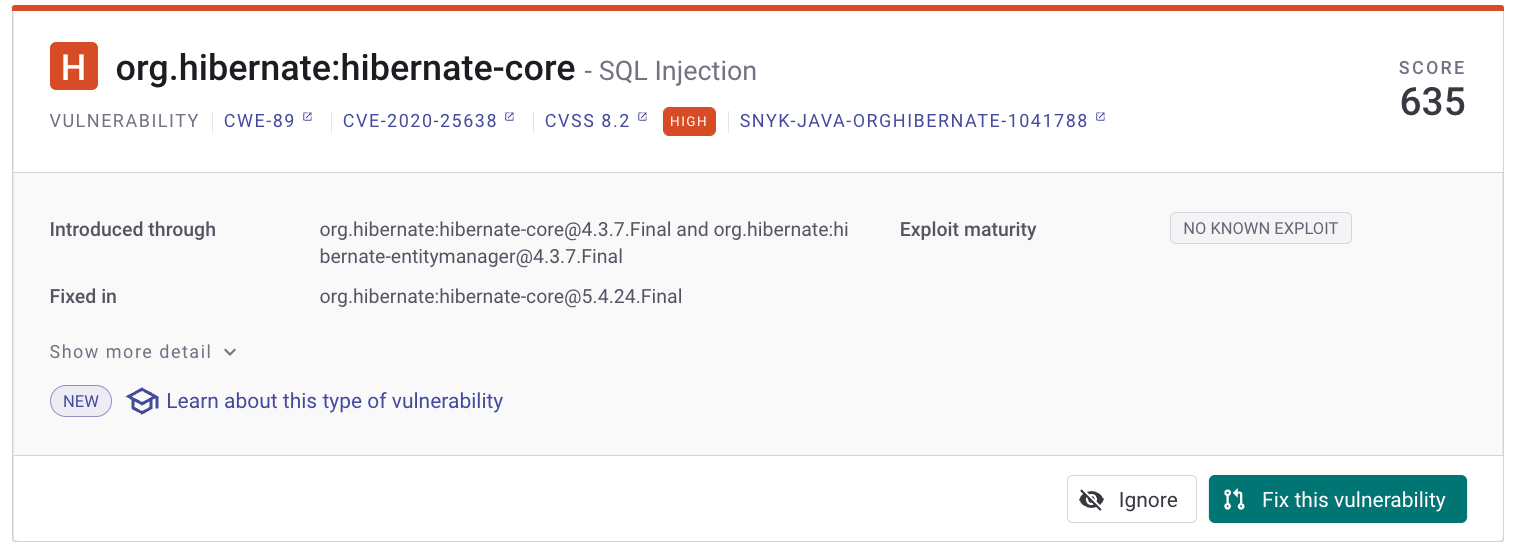
For vulnerabilities in open-source libraries, Snyk provides an option to create a Pull Request (PR) to upgrade dependencies to the latest version of a package. This **upgrade PR** will fix the vulnerability, removing it from your code.
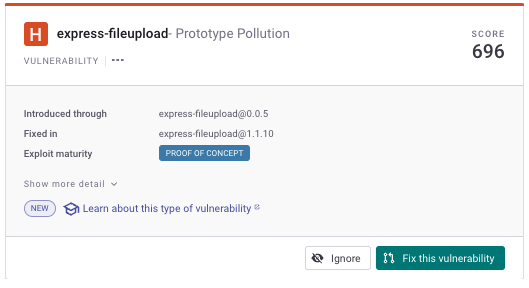
Access this function using the **Fix this Vulnerability** button on the issue card:
Click "Fix this vulnerability" to create a P
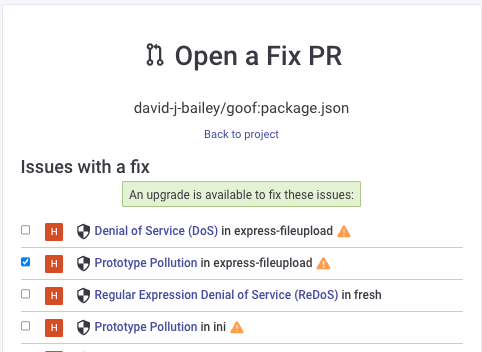
Snyk then prompts you to confirm your vulnerability selection:
Open a Fix PR for a vulnerability
Your PR is selected by default, but you may wish to raise a PR to upgrade other libraries by selecting them
{% hint style="info" %}
This list of all fixes may be overwhelming - you may only want to fix the vulnerability you’ve done the research on and know about.
{% endhint %}
Finally, click **Open a fix PR** at the bottom of that screen to generate a fix PR:
Generate the fix PR for your vulnerability
You can then manage this change as you would for any standard code PR in your development process.
#### More information
* **Docs**: See [Fixing vulnerabilities](https://docs.snyk.io/snyk-open-source/open-source-basics/fixing-vulnerabilities) for an overview, and [Fixing and prioritizing issues](https://docs.snyk.io/fixing-and-prioritizing-issues) for more details.
* **Training**: see [Fix PRs](https://training.snyk.io/learn/video/fix-pr).
### Ignore the vulnerability
Snyk also provides an option to ignore a vulnerability, temporarily or permanently; for example, if we think it may not affect us, or if we think it’s a false positive. If you select to ignore a vulnerability, it doeSees not appear in subsequent scans for that Snyk Project.
Access this function using click **Ignore** button on the issue card:
Click Ignore to ignore a vulnerability
#### More information
* **Docs**: see [Ignore issues](https://docs.snyk.io/features/fixing-and-prioritizing-issues/issue-management/ignore-issues)
* **Training**: see [Ignore strategies](https://training.snyk.io/courses/ignore-strategies)
### Fix issues for other types of scan
This example showed you how to apply a fix to an open-source vulnerability. Depending on what items you scan, you can use other Snyk products to resolve issues:
* For scan items built into a container, such as a Docker file, see [Analysis and fixes for your images from the Snyk Web UI](https://docs.snyk.io/~/changes/m2hJeDrttXy2N83AnRjM/scan-containers/using-snyk-container/analysis-and-remediation-for-your-images-from-the-snyk-app).
* For Kubernetes deployment files, terraform and other IaC files, see [Using Snyk IaC with the Web UI](https://docs.snyk.io/~/changes/m2hJeDrttXy2N83AnRjM/scan-cloud-deployment/snyk-infrastructure-as-code/using-snyk-iac-via-web).
* To scan your team's own code, see [Exploring the Fix analysis page](https://docs.snyk.io/products/snyk-code/exploring-and-working-with-the-snyk-code-results/exploring-the-vulnerability-issues-discovered-by-snyk-code/exploring-the-data-flow-and-fix-analysis-pages-of-an-issue/exploring-the-fix-analysis-page).
### What's next?
This example shows how to make a simple upgrade to a dependency, based on Snyk advice. Typically, fixes can be more complex than this.
Next, let's [take a deeper dive](https://docs.snyk.io/~/changes/m2hJeDrttXy2N83AnRjM/getting-started/walkthrough-code-repository-projects/fix-your-first-vulnerability-deeper-dive) into fixing a vulnerability in your code.
%20(1)%20(1)%20(1)%20(1)%20(1)%20(1)%20(2).png?alt=media)