# Snyk Projects

Snyk Project information appears in the **Projects** listing, which you can display from the menu on the Snyk dashboard. The filters you can add depend on the **Group by** option you choose from the pulldown on the right. To filter by Origin or source, use an Integrations filter.

Progress and error information on the state of your repository and container registry image imports are shown in the [Import Log](https://docs.snyk.io/snyk-platform-administration/snyk-projects/import-log).

{% hint style="info" %}
After filters have been applied to the Project listing page, you can bookmark the URL and share it with other users in the Organization. This allows all users to see the same view of the page.
{% endhint %}

Snyk Projects concepts include the following:

* [Target](#target)
* [Origin](#origin)
* [Project](#project)
* [Targetfile](#targetfile)
* [Type](#type)

## Target

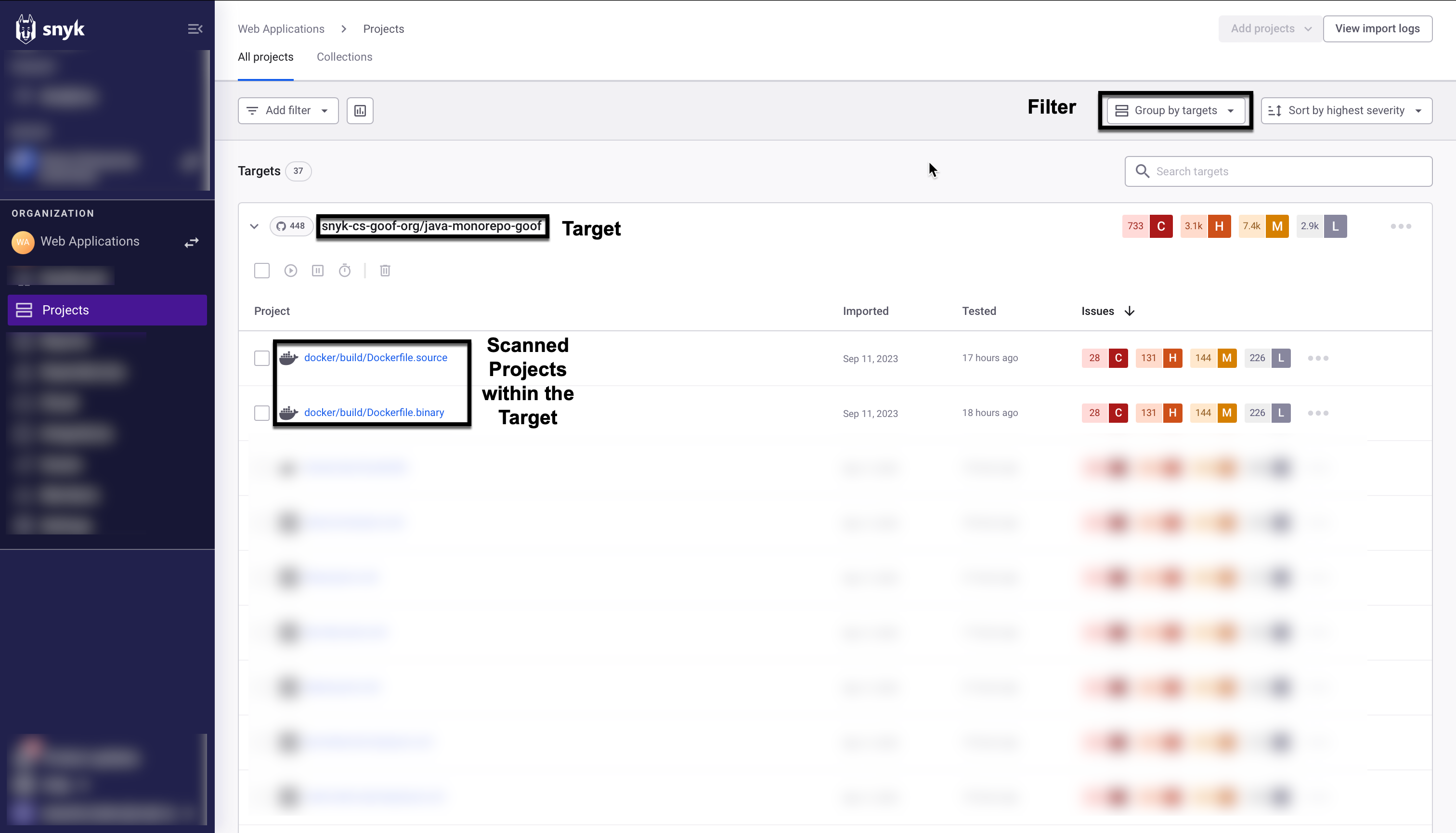
Projects are held in a Target. A Target represents an external resource Snyk has scanned: a code repository, a Kubernetes workload, or another scannable resource external to Snyk.

Snyk creates a Target when you request to import a Project or scan using the CLI. If the import fails or finds nothing, the Target will be empty.

When you select **Group by target**, Snyk Targets appear in the **Projects** listing. You can also find Targets using the endpoints [Get targets by org ID](https://docs.snyk.io/snyk-api/reference/targets#orgs-org_id-targets) and [List all Projects for an Org with the given Org ID](https://docs.snyk.io/snyk-api/reference/projects#orgs-org_id-projects).

Click the dots at the far right of each Target on the list to see the available actions, including deleting a target.

<figure><img src="https://2533899886-files.gitbook.io/~/files/v0/b/gitbook-x-prod.appspot.com/o/spaces%2F-MdwVZ6HOZriajCf5nXH%2Fuploads%2Fgit-blob-e07a6228d91857d518b5989ba36c96f6a1df7e62%2Fproject-page-overview-projects.png?alt=media" alt="Snyk Target and Projects in that Target"><figcaption><p>Snyk Target and Projects in that Target</p></figcaption></figure>

Each Snyk Project is associated with a parent Target. One Target may include many Projects. The structure of the Target depends on the Origin.

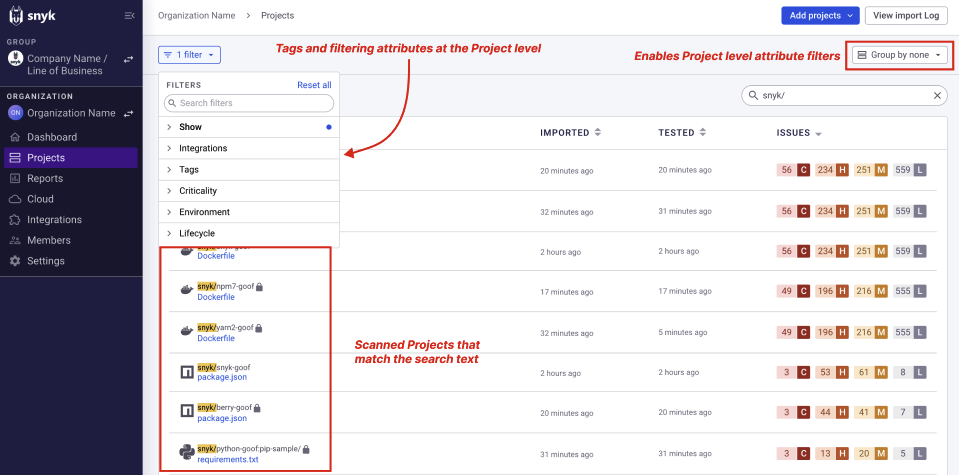
The grouping option controls whether the filtering attributes are applied at the Target or at the Project level. **Group by none** (ungrouped) lets you apply [tags](https://docs.snyk.io/snyk-platform-administration/snyk-projects/project-tags) and [filtering attributes at the Project level](https://docs.snyk.io/snyk-platform-administration/snyk-projects/project-attributes) to the individual Projects.

Snyk provides both pagination to improve the page loading time for Projects page requests and filtering, which is particularly helpful if you have hundreds of thousands of Projects to scan.

Use **Sort by** (pull down on the far right) to sort the **Projects** listing by severity, by how recently the Projects were imported, or in alphabetical order.

<figure><img src="https://2533899886-files.gitbook.io/~/files/v0/b/gitbook-x-prod.appspot.com/o/spaces%2F-MdwVZ6HOZriajCf5nXH%2Fuploads%2Fgit-blob-193708e628652c1ecb841d7d50087df1a7c53f5f%2Fimage%20(2).png?alt=media" alt="Sorting attributes available when grouping by Target"><figcaption><p>Sorting attributes available when grouping by Target</p></figcaption></figure>

## Origin or source

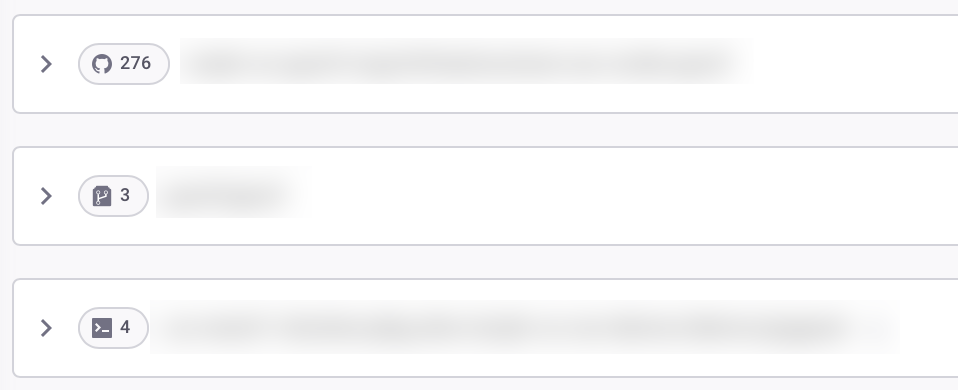
The Origin defines the Target ecosystem, such as CLI, GitHub, or Kubernetes. Origins are a property of Targets (see preceding section) and appear in the **Projects** listing as an icon next to the Target name.

<figure><img src="https://2533899886-files.gitbook.io/~/files/v0/b/gitbook-x-prod.appspot.com/o/spaces%2F-MdwVZ6HOZriajCf5nXH%2Fuploads%2Fgit-blob-48921a06d99460f88bd0a9106f5e6844d95da872%2Forigin-icons-projects.png?alt=media" alt="Origin icon next to the Target name" width="563"><figcaption><p>Origin icon next to the Target name</p></figcaption></figure>

Possible Origin values are:

* acr
* api
* artifactory-cr
* aws-config
* aws-lambda
* azure-functions
* azure-repos
* bitbucket-cloud
* bitbucket-server
* cli
* cloud-foundry
* digitalocean-cr
* docker-hub
* ecr
* gcr
* github
* github-cr
* github-enterprise
* gitlab
* gitlab-cr
* google-artifact-cr
* harbor-cr
* heroku
* ibm-cloud
* kubernetes
* nexus-cr
* pivotal
* quay-cr
* terraform-cloud

## Project

A Snyk Project defines the items, such as manifest files, that Snyk scans for a given Target, with configuration information defining how to run that scan.

Projects appear in the **Projects** listing. You can also find Projects using the endpoint [List all Projects for an Org with the given Org ID](https://docs.snyk.io/snyk-api/reference/projects#orgs-org_id-projects).

Use **Group by none** (ungrouped) for better Project visibility and to apply [filtering attributes at the Project level](https://docs.snyk.io/snyk-platform-administration/snyk-projects/project-attributes).

<figure><img src="https://2533899886-files.gitbook.io/~/files/v0/b/gitbook-x-prod.appspot.com/o/spaces%2F-MdwVZ6HOZriajCf5nXH%2Fuploads%2Fgit-blob-8fcbd75e6d452e770a410e0a7bd024d9afb52d9f%2FScreenshot%202023-01-23%20at%2018.07.46.png?alt=media" alt="Filtering attributes applied at the Project level"><figcaption><p>Filtering attributes applied at the Project level</p></figcaption></figure>

## Targetfile

The Targetfile is the specific item to scan in a Target, such as a `pom.xml` file in a GitHub repo.

{% hint style="info" %}
[Snyk Code](https://docs.snyk.io/scan-with-snyk/snyk-code) scans do not use Targetfiles.
{% endhint %}

## Type

The Type is the scanning method to use for a particular Project, such as Static Application Security Testing ([SAST](https://snyk.io/learn/application-security/sast-vs-dast/)) for scanning using Snyk Code, or Maven for a Maven project using Snyk Open Source. This is part of the configuration for scanning.

## Project actions on the Project listing page

### Delete, activate, or deactivate

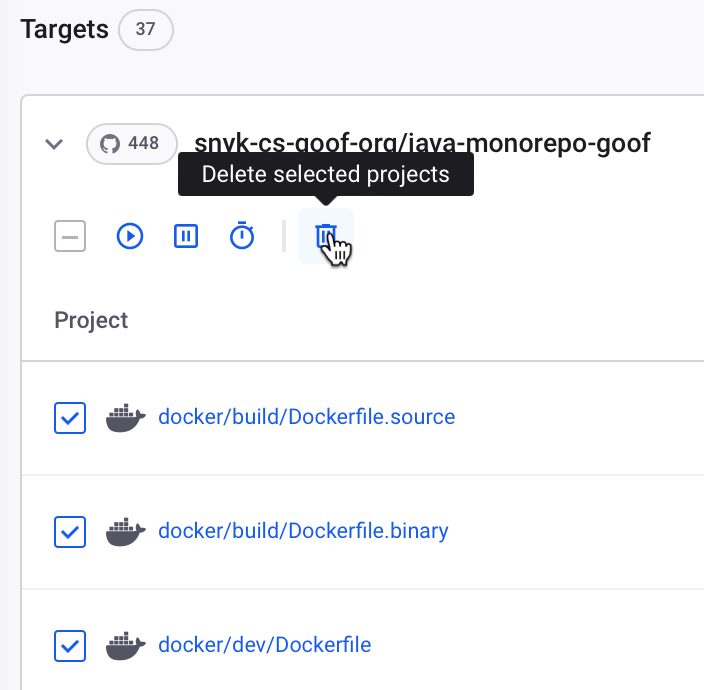
To perform an action at bulk on your Projects, first select the Projects and then choose to **Delete**, **Activate,** or **Deactivate** the Projects.

<figure><img src="https://2533899886-files.gitbook.io/~/files/v0/b/gitbook-x-prod.appspot.com/o/spaces%2F-MdwVZ6HOZriajCf5nXH%2Fuploads%2Fgit-blob-22daca7a3844b3d446f9a1dd1aef85d37766be0a%2Fdelete-selected-projects.png?alt=media" alt="" width="352"><figcaption><p>Deleting Projects in bulk</p></figcaption></figure>

Click **Delete** to remove Projects from the **Projects** listing page and the Target-level aggregates.

Click **Deactivate** to remove webhooks and prevent tests from occurring. Deactivating a Project will:

* Stop showing the Project results in reporting.
* Keep showing the findings of the last scan in the **Projects** listing page, including the Target-level aggregates on the **Group by Target** view.

### Test frequency settings

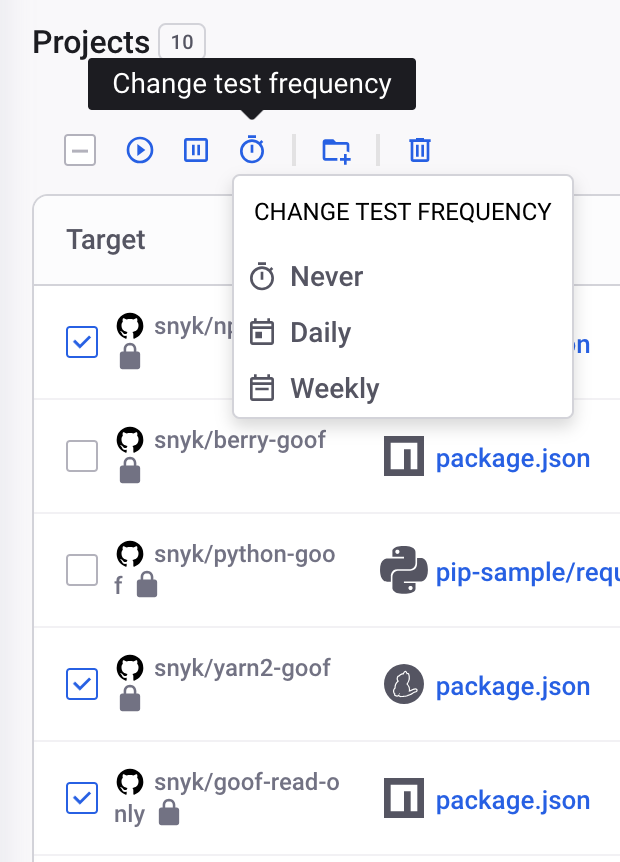
You can set the frequency of testing for each Project.

For each entry, you can select the frequency of testing for that Project (`never`, `daily`, or `weekly`) as applicable to the type of Project, Open Source, Code analysis, Container, or IaC:

<div align="center"><figure><img src="https://2533899886-files.gitbook.io/~/files/v0/b/gitbook-x-prod.appspot.com/o/spaces%2F-MdwVZ6HOZriajCf5nXH%2Fuploads%2Fgit-blob-9541722c90da9870b29377d83492ed427d572025%2FScreenshot%202023-11-15%20at%2010.42.46.png?alt=media" alt="Select test frequency" width="310"><figcaption><p>Select test frequency</p></figcaption></figure></div>

{% hint style="info" %}
The default test frequency and limitations are as follows:

* Open Source: The default is daily.
* Code analysis Projects: The default is weekly; daily is not available. To test your code daily, submit a request to [Snyk Support.](https://support.snyk.io)
* Container: The default is daily.
* IaC: The default is weekly.
  {% endhint %}