> For the complete documentation index, see [llms.txt](https://docs.snyk.io/llms.txt). Markdown versions of documentation pages are available by appending `.md` to page URLs; this page is available as [Markdown](https://docs.snyk.io/scan-fix-and-prevent/scan-with-snyk/snyk-open-source/scan-open-source-libraries-and-licenses/snyk-license-compliance-management.md).
# Snyk License Compliance Management
How Snyk License Compliance Management governs open source license risk
{% hint style="info" %}
**Feature availability**
Snyk License Compliance Management is available only with Enterprise plans. For more information, see [plans and pricing](https://snyk.io/plans/).
{% endhint %}
You can check compliance for open-source licenses in your code using Snyk License Compliance Management.
The Snyk Default License Policy defines how Snyk identifies potential license issues in the open-source packages your Projects are using. This policy applies to all Organizations created in your Group.
## Prerequisites for using Snyk License Compliance Management
Before checking license compliance with Snyk License Compliance Management, ensure you:
* Are part of a Snyk [paid plan](https://snyk.io/plans/).
* Have integrated and imported your Projects. See [Getting started](/getting-started-guides/getting-started.md).
## Define license policies
To take effective action based on license issues, you need to define policies that specify these actions for each license type. Policies provide a way to capture different requirements within an Organization based on factors such as line of business. Work with your legal team to create policies tailored to your company.
To open your Snyk Group License policy, navigate to the **Policies** menu option in your Group.
### Create policy rules
Each policy contains rules detailing which licenses are acceptable and which are forbidden for use, together with a severity level that indicates how severe the license violation is.
You can create and edit multiple license policies for Organizations. For details, see [Create a license policy and rules](/scan-fix-and-prevent/prevent/policies/license-policies/create-a-license-policy-and-rules.md).
## View compliance issues
Snyk’s [Git-based integrations ](/developer-tools/integrations/scm-integrations/organization-level-integrations.md)support license scanning as part of the regular workflow. During scanning, license issues appear as a filterable list in the **Issues** tab.
Issues overview with the "License issues" filter applied
The example below shows a high-severity issue under the GPL-2.0 license, with accompanying instructions as defined in the license's policies.
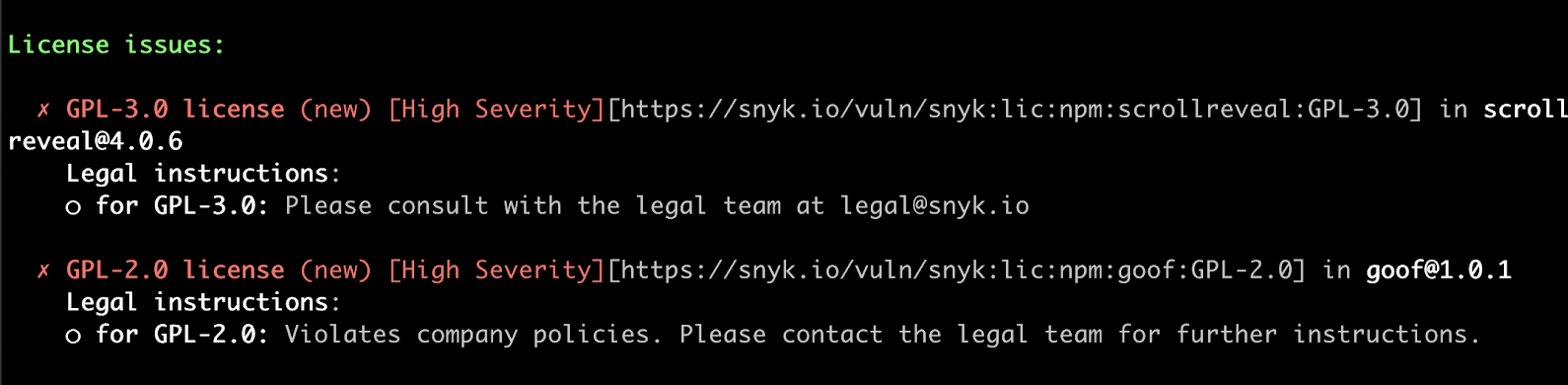
You can also view license issues using the Snyk CLI tool after running `snyk test`:
License issue overview in Snyk CLI
### View all license information
You can view and share detailed lists of licenses being used by all Projects in your Organization and see a report that lists all the open-source components and licenses.
### View license dependencies
Snyk shows license issues in both your direct and transitive dependencies in the **Dependencies** tab:

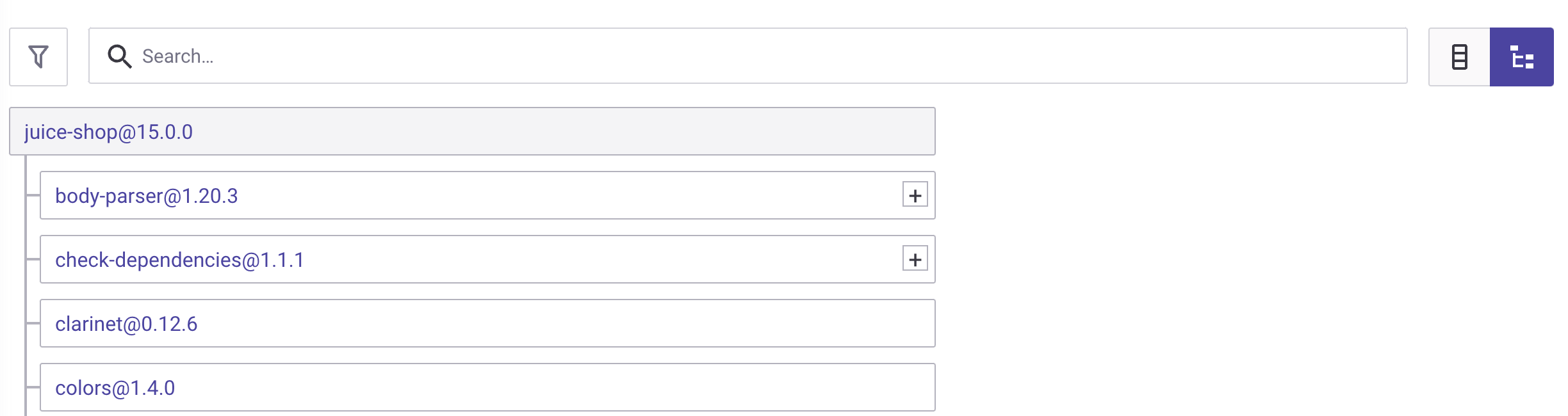
Click the tree icon to view a full dependency tree. This shows the dependency that introduced the license issue:
Dependencies overview - tree view
## Resolve license issues
You can now take action to resolve the license issues identified during the scan, to help you build and deploy your application without outstanding licensing issues.
The actions you take depend on the license conditions and on your policies. For example, if a license violation has surfaced, this issue can be mitigated by either approaching your legal team or by replacing the dependency that added the violation.
Alternatively, you may want to ignore the issue. For details, see [ignore issues](/scan-fix-and-prevent/fix/prioritize-issues-for-fixing/ignore-issues.md).
---
# Agent Instructions
This documentation is published with GitBook. GitBook is the documentation platform designed so that both humans and AI agents can read, navigate, and reason over technical content effectively. Learn more at gitbook.com.
## Querying This Documentation
If you need additional information that is not directly available in this page, you can query the documentation dynamically by asking a question.
Perform an HTTP GET request on the current page URL with the `ask` query parameter, and the optional `goal` query parameter:
```
GET https://docs.snyk.io/scan-fix-and-prevent/scan-with-snyk/snyk-open-source/scan-open-source-libraries-and-licenses/snyk-license-compliance-management.md?ask=&goal=
```
`ask` is the immediate question: it should be specific, self-contained, and written in natural language.
`goal` is optional and describes the broader end goal you are ultimately trying to accomplish on behalf of the user. GitBook uses it to tailor the answer towards what is most useful for that goal.
The response will contain a direct answer to the question and relevant excerpts and sources from the documentation.
Use this mechanism when the answer is not explicitly present in the current page, you need clarification or additional context, or you want to retrieve related documentation sections.