> For the complete documentation index, see [llms.txt](https://docs.snyk.io/llms.txt). Markdown versions of documentation pages are available by appending `.md` to page URLs; this page is available as [Markdown](https://docs.snyk.io/developer-tools/snyk-cli/scan-and-maintain-projects-using-the-cli/snyk-cli-for-snyk-container/understand-snyk-container-cli-results.md).
# Understand Snyk Container CLI results
How to understand Snyk Container results from the CLI
{% hint style="info" %}
**Snyk is rolling out a new navigation.** The steps on this page describe the classic interface. If your view looks different, visit [Navigate the Snyk Web UI](https://docs.snyk.io/navigate-the-snyk-web-ui#where-things-moved) to map these options to the new interface.
{% endhint %}
## Understand Snyk Container CLI results
### Vulnerability information
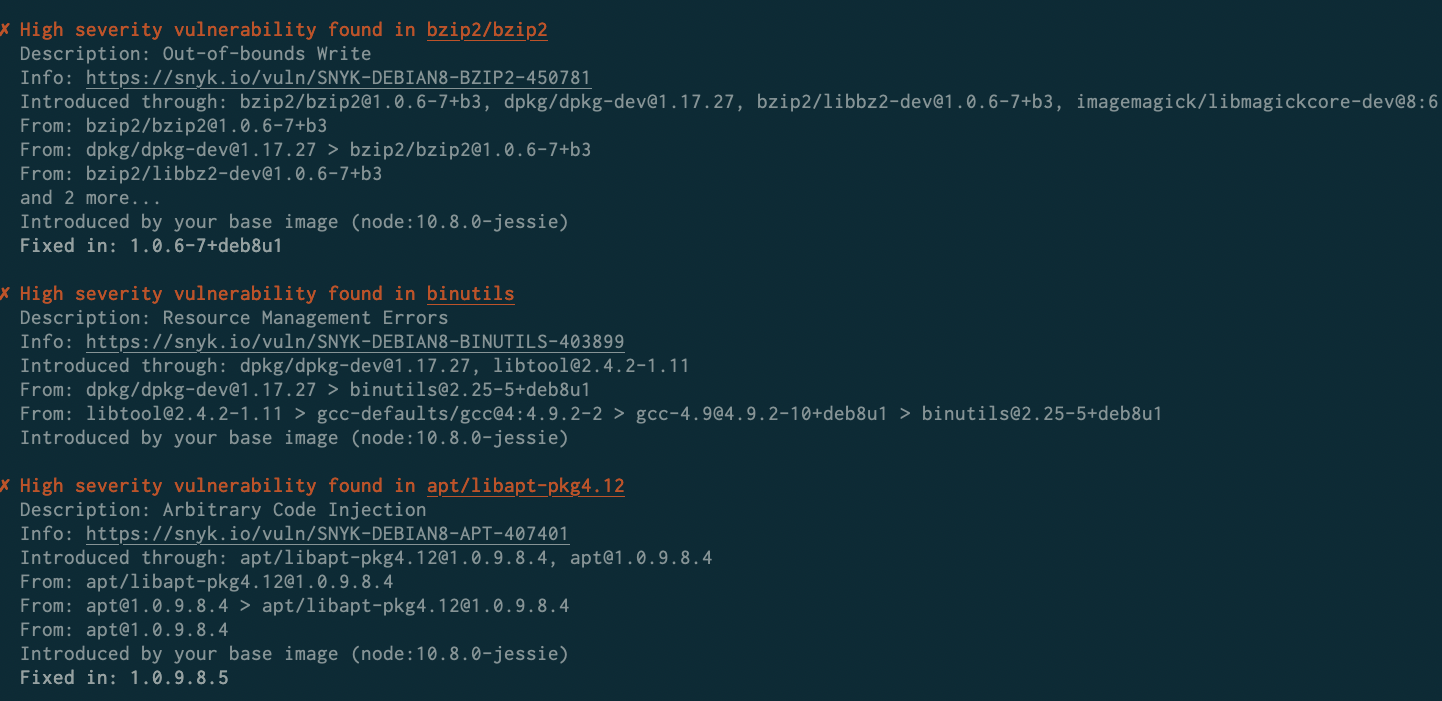
When Snyk Container detects vulnerabilities, they are presented in the output:
Vulnerabilities detected with Snyk Container
Each vulnerability contains the following information:
| **Field** | **Description** |
| ---------------------- | -------------------------------------------------------------------------------------------------------------------------------------------------------------------------------------------------------------------------------------------------------------------------------- |
| **Severity** | The importance of the specific vulnerability. For more information, see [Severity levels of detected Linux vulnerabilities](https://docs.snyk.io/scan-fix-and-prevent/scan-with-snyk/snyk-container/how-snyk-container-works/severity-levels-of-detected-linux-vulnerabilities). |
| **A clear heading** | A summary of the vulnerability and the package it affects. |
| **Description** | A brief description of the type of issue or Common Vulnerabilities and Exposure (CVE) reference, if a CVE exists. |
| **Info** | A link to vulnerability details, including links to upstream sources and global vulnerabilities databases. |
| **Introduced through** | The top-level package names that the vulnerability affects. |
| **From** | How the affected packages came to be in the image. |
| **Introduced by** | Whether the vulnerability is in the base image or which line in the Dockerfile introduced the vulnerability. |
| **Fixed in** | If available, the version of the package that has a fix for the vulnerability. |
Vulnerabilities appear in reverse order of severity so that you can see the most important issues first, with limited scrolling required.
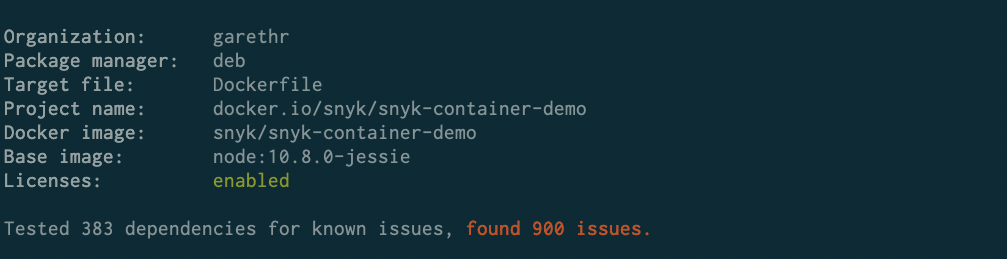
Snyk also reports the total dependencies scanned for known vulnerabilities and the total number of vulnerabilities.
Example of total dependencies scanned and the issues found
{% hint style="info" %}
Snyk groups together vulnerabilities that are found in multiple packages. This helps you focus on the number of vulnerabilities rather than the instances only.
{% endhint %}
### Base image recommendations
Snyk SCM scanning supports a subset of Docker Hub images. Other registries are not supported.
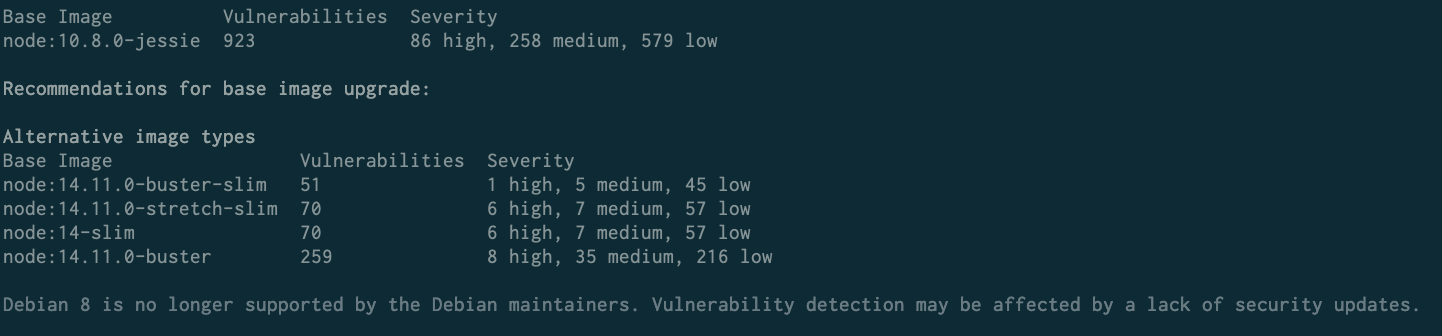
If Snyk identifies the base image, and the image uses an [Official Docker image](https://docs.docker.com/docker-hub/official_images/), the output includes recommendations for upgrades, in order to fix some of the discovered vulnerabilities.
Example of recommendations to upgrade the base image
This provides a level of situational awareness, showing the vulnerability counts in minor and major upgrades or in alternative base images, which might have fewer vulnerabilities.
---
# Agent Instructions
This documentation is published with GitBook. GitBook is the documentation platform designed so that both humans and AI agents can read, navigate, and reason over technical content effectively. Learn more at gitbook.com.
## Querying This Documentation
If you need additional information that is not directly available in this page, you can query the documentation by asking a question.
Perform an HTTP GET request on the following URL with the `ask` and `goal` query parameters:
```
GET https://docs.snyk.io/developer-tools/snyk-cli/scan-and-maintain-projects-using-the-cli/snyk-cli-for-snyk-container/understand-snyk-container-cli-results.md?ask=&goal=
```
`ask` is the immediate question: it should be specific, self-contained, and written in natural language.
`goal` is what the user is ultimately trying to achieve, the reason they need the answer. Sharing it helps GitBook give you a better, more relevant answer. A goal is most helpful when it describes the outcome the user wants rather than restating the question. For example, with `ask=how do I create an API token`, a goal like `automate deployments from our CI pipeline` lets GitBook tailor the answer to that use case.
The response will contain a direct answer to the question and relevant excerpts and sources from the documentation.
Use this mechanism when the answer is not explicitly present in the current page, you need clarification or additional context, or you want to retrieve related documentation sections.