> For the complete documentation index, see [llms.txt](https://docs.snyk.io/llms.txt). Markdown versions of documentation pages are available by appending `.md` to page URLs; this page is available as [Markdown](https://docs.snyk.io/developer-tools/integrations/snyk-ide-plugins-and-extensions/visual-studio-extension/run-an-analysis-with-visual-studio-extension.md).
# Run an analysis with Visual Studio extension
How to run a Snyk scan on your solution with the Visual Studio extension
{% hint style="info" %}
**Snyk is rolling out a new navigation.** The steps on this page describe the classic interface. If your view looks different, visit [Navigate the Snyk Web UI](https://docs.snyk.io/navigate-the-snyk-web-ui#where-things-moved) to map these options to the new interface.
{% endhint %}
## Run an analysis with Visual Studio extension
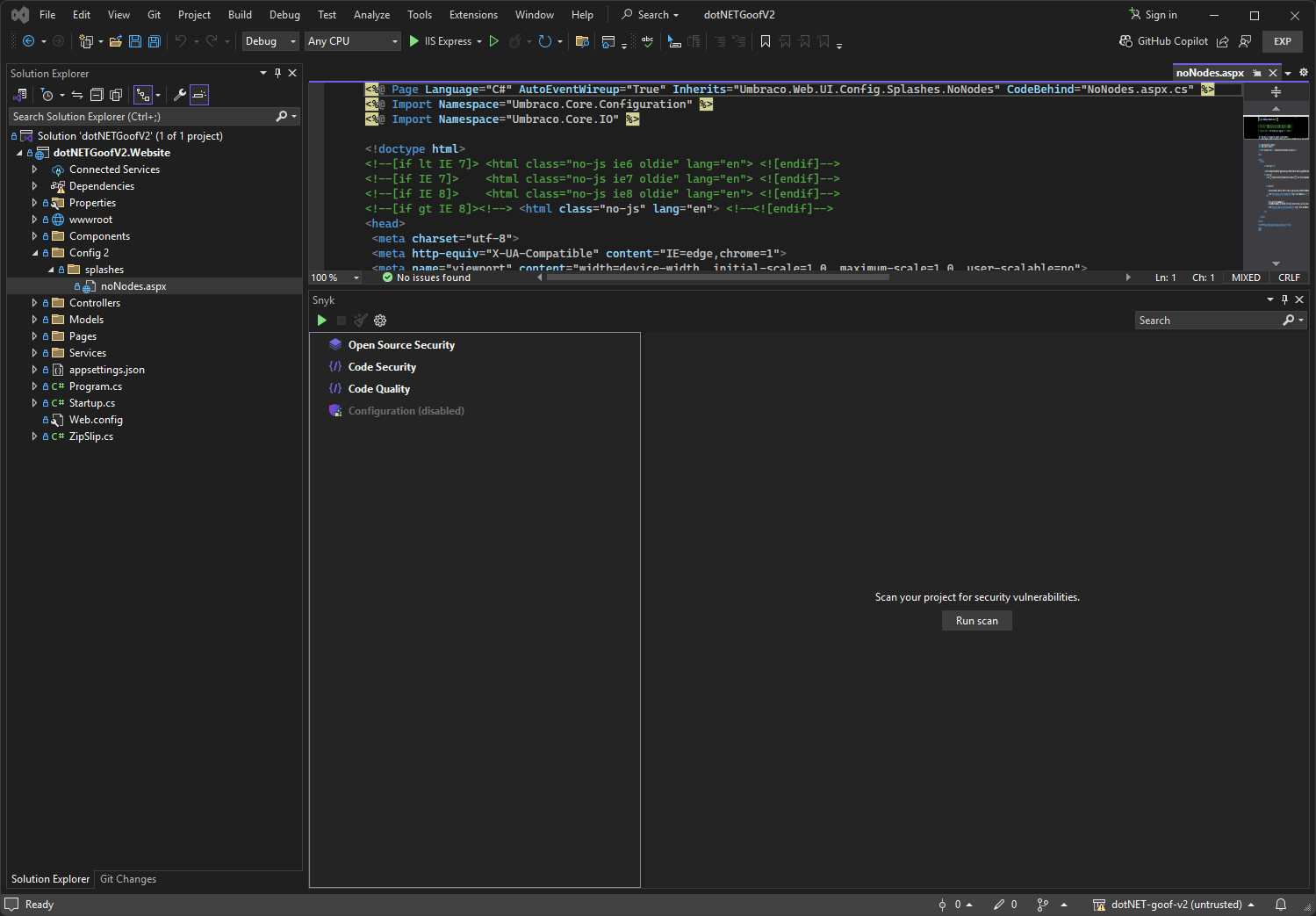
Open your solution and click **Run scan**. Depending on the size of your solution and the time needed to build a dependency graph, it takes less than one or two minutes to get the vulnerabilities.
Run a scan
The extension provides two kinds of results:
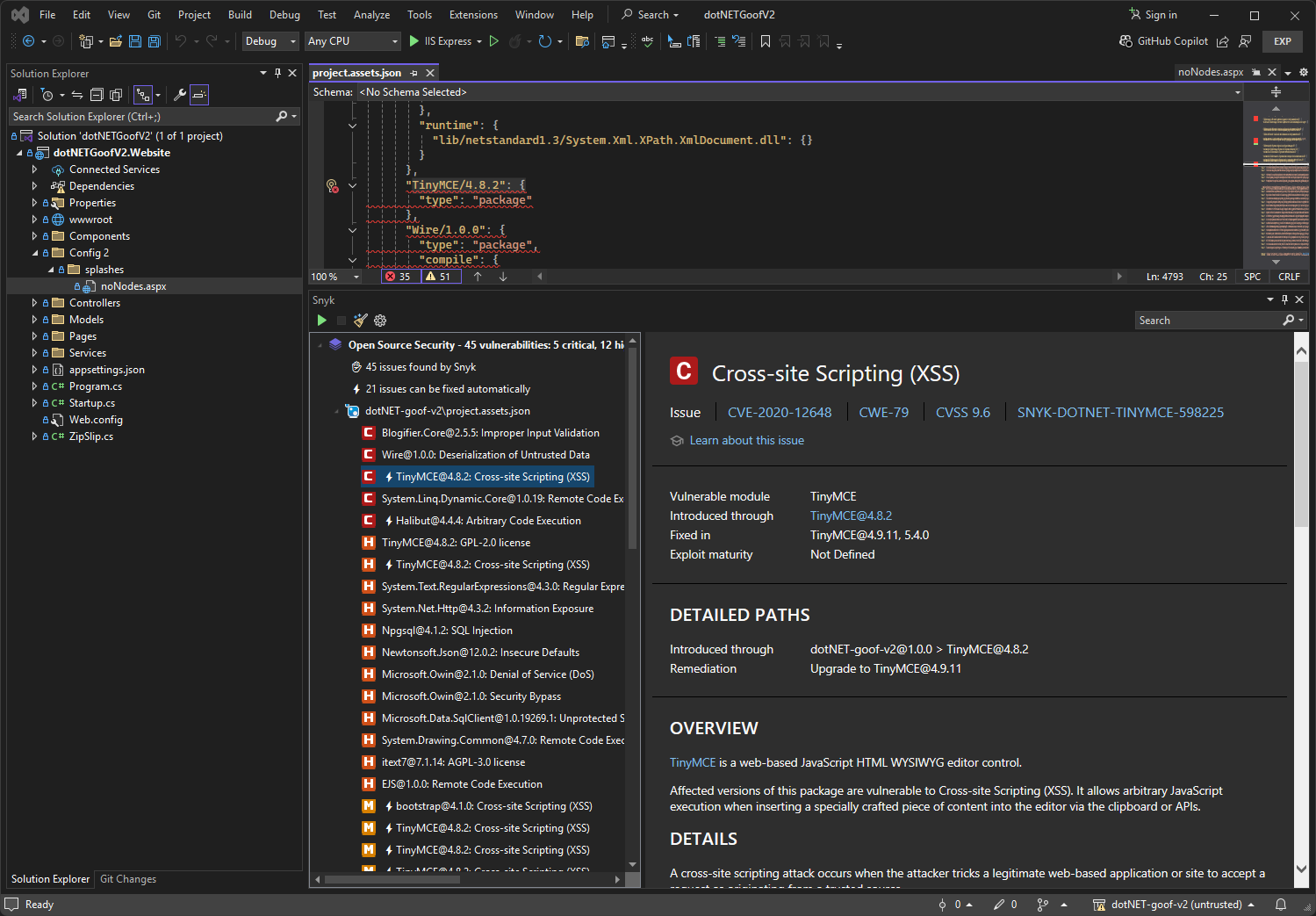
* Open Source vulnerabilities
* Snyk Code issues
### Open Source vulnerabilities
Note that your solution must be built successfully in order to allow the CLI to pick up the dependencies and find the vulnerabilities.
If you see only npm vulnerabilities or vulnerabilities that are not related to your C#/.NET Projects, your Project may not have been built successfully and thus not detected by the CLI. If you have difficulty or questions, submit a request to [Snyk Support](https://support.snyk.io).
Open Source vulnerabilities
### Snyk Code issues
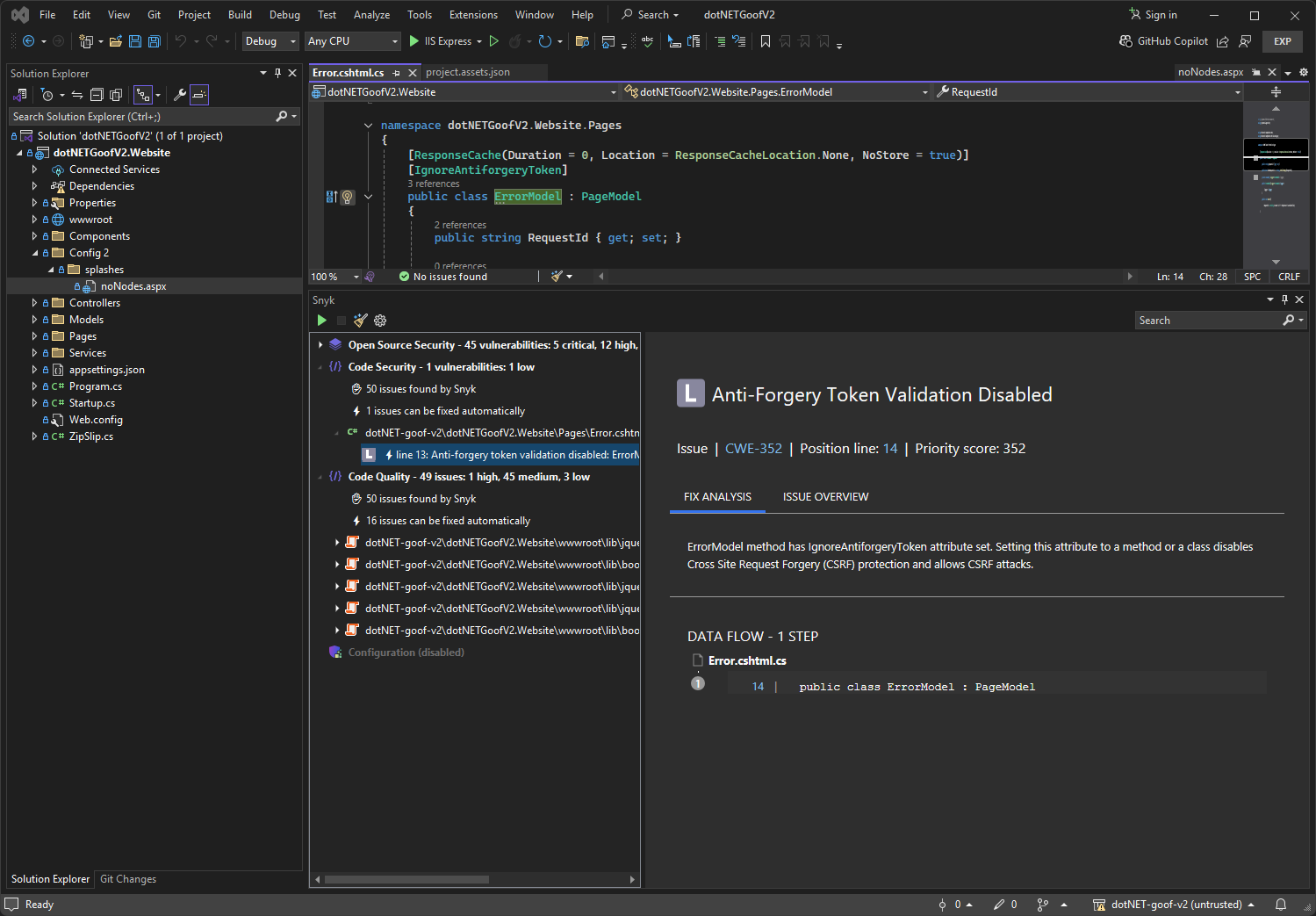
Snyk Code analysis shows a list of security vulnerabilities and code issues found in the application code. For more details and examples of how others fixed the issue, select a security vulnerability or a code security issue and examine the suggestions that Snyk provides.
Snyk suggestion panel
The suggestions from Snyk include the recommendation of the Snyk engine using, for example, variable names in your code and the line numbers in red. You can also see:
* Links to external resources that explain the bug pattern in more detail.
* Tags that were assigned by Snyk, such as Security (the issue found is a security issue), Database (the issue is related to database interaction), or In Test (the issue is within the test code).
* Code from open-source repositories that can be of help to see how others have fixed the issue.
---
# Agent Instructions
This documentation is published with GitBook. GitBook is the documentation platform designed so that both humans and AI agents can read, navigate, and reason over technical content effectively. Learn more at gitbook.com.
## Querying This Documentation
If you need additional information that is not directly available in this page, you can query the documentation by asking a question.
Perform an HTTP GET request on the following URL with the `ask` and `goal` query parameters:
```
GET https://docs.snyk.io/developer-tools/integrations/snyk-ide-plugins-and-extensions/visual-studio-extension/run-an-analysis-with-visual-studio-extension.md?ask=&goal=
```
`ask` is the immediate question: it should be specific, self-contained, and written in natural language.
`goal` is what the user is ultimately trying to achieve, the reason they need the answer. Sharing it helps GitBook give you a better, more relevant answer. A goal is most helpful when it describes the outcome the user wants rather than restating the question. For example, with `ask=how do I create an API token`, a goal like `automate deployments from our CI pipeline` lets GitBook tailor the answer to that use case.
The response will contain a direct answer to the question and relevant excerpts and sources from the documentation.
Use this mechanism when the answer is not explicitly present in the current page, you need clarification or additional context, or you want to retrieve related documentation sections.