> For the complete documentation index, see [llms.txt](https://docs.snyk.io/llms.txt). Markdown versions of documentation pages are available by appending `.md` to page URLs; this page is available as [Markdown](https://docs.snyk.io/developer-education-with-snyk-learn/snyk-learn/your-learning/claiming-cpe-credits-with-snyk-learn.md).
# Claiming CPE Credits with Snyk Learn
How to claim Continuing Professional Education (CPE) credits for completing Snyk Learn lessons and learning paths
{% hint style="info" %}
**Snyk is rolling out a new navigation.** The steps on this page describe the classic interface. If your view looks different, visit [Navigate the Snyk Web UI](https://docs.snyk.io/navigate-the-snyk-web-ui#where-things-moved) to map these options to the new interface.
{% endhint %}
## Claiming CPE Credits with Snyk Learn
Snyk Learn offers a range of security education lessons and learning paths designed to enhance your application security skills. While these lessons provide valuable knowledge, they do not automatically grant Continuing Professional Education (CPE) credits. To claim CPE credits for your participation in Snyk Learn lessons and learning paths, follow these steps.
{% hint style="info" %}
The specific process for claiming CPE credits may vary depending on your certifying organization.
{% endhint %}
1. Complete a Snyk Learn module.
1. Log in to your Snyk Learn account and finish a lesson or learning path.
2. Ensure you meet all completion criteria, such as passing the quiz and engaging with interactive content.
2. Document your learning activity. Record essential details of the completed module, including:
* Course title
* Provider name: Snyk
* Completion date
* Duration: Time spent on the module
3. Submit to your certification body.
1. Access the CPE submission portal of your certifying organization, such as ISC2 or ISACA.
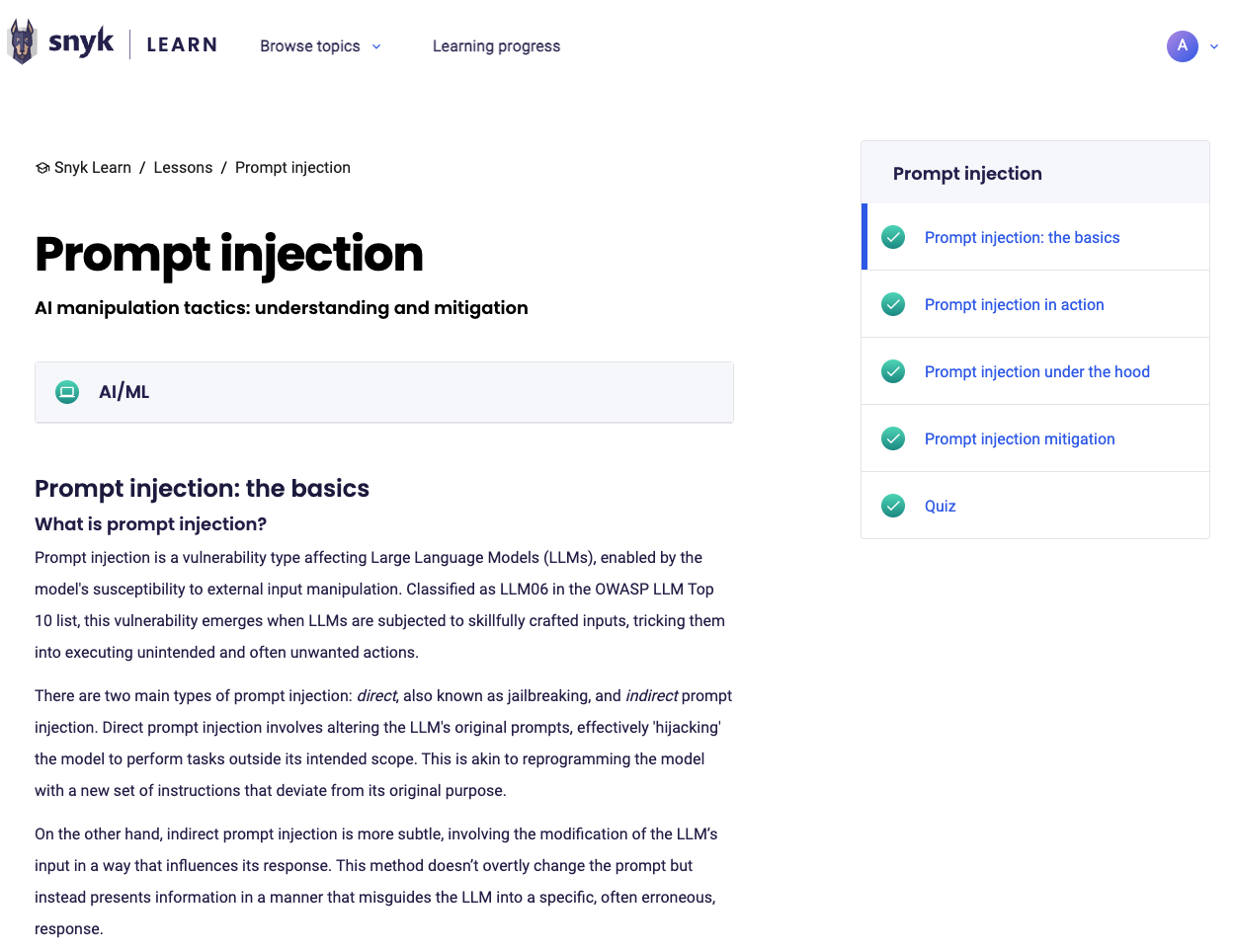
2. Enter the recorded details and provide any required documentation, such as completion certificates (available for Learning Paths) or screenshots of the completed lesson in your Learning Progress dashboard or the lesson page, see examples below.
4. Provide additional information if requested. You may be asked to supply further details or respond to inquiries from your certifying body to verify your CPE claim.
#### Examples
**Learning path certificate**
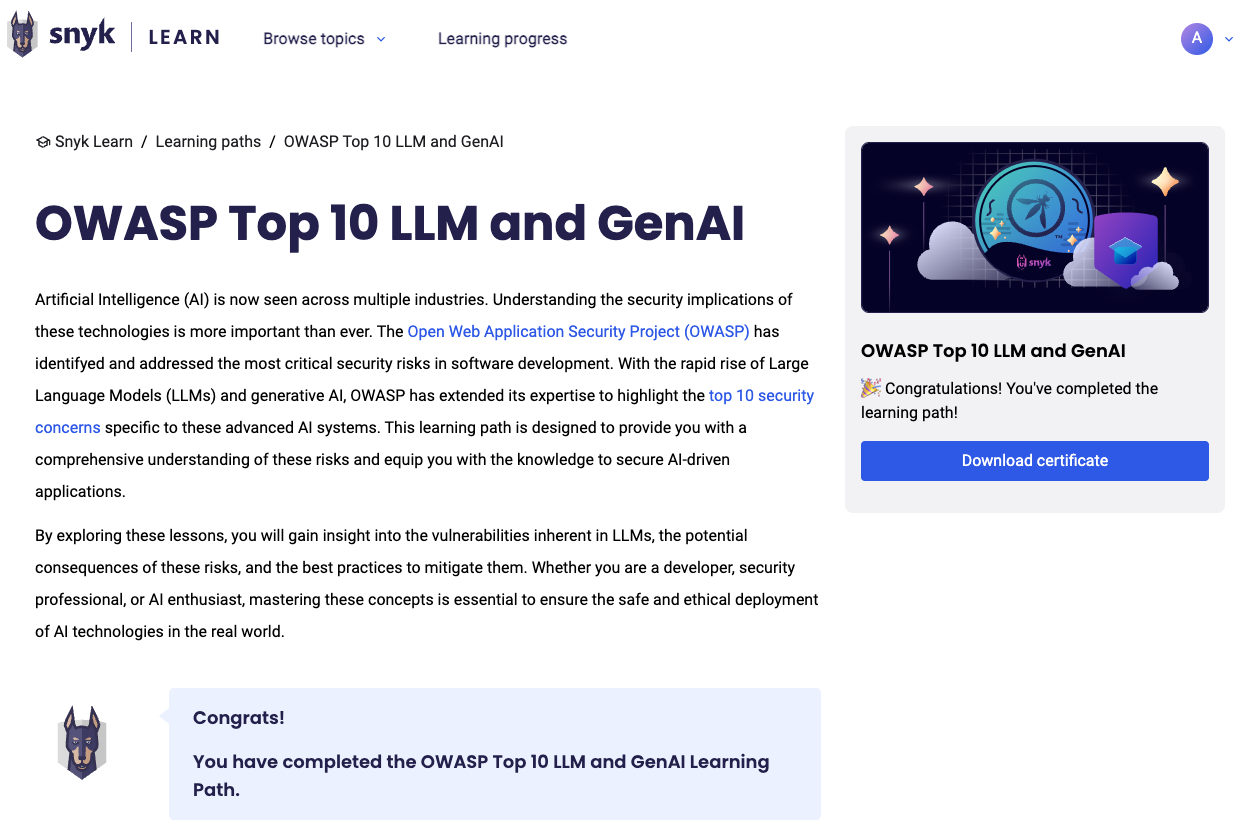
Navigate to the page for the Learning Path that you completed and click the **Download certificate** button.
A completed Learning Path with certificate
**Lesson completion example**
---
# Agent Instructions
This documentation is published with GitBook. GitBook is the documentation platform designed so that both humans and AI agents can read, navigate, and reason over technical content effectively. Learn more at gitbook.com.
## Querying This Documentation
If you need additional information that is not directly available in this page, you can query the documentation by asking a question.
Perform an HTTP GET request on the following URL with the `ask` and `goal` query parameters:
```
GET https://docs.snyk.io/developer-education-with-snyk-learn/snyk-learn/your-learning/claiming-cpe-credits-with-snyk-learn.md?ask=&goal=
```
`ask` is the immediate question: it should be specific, self-contained, and written in natural language.
`goal` is what the user is ultimately trying to achieve, the reason they need the answer. Sharing it helps GitBook give you a better, more relevant answer. A goal is most helpful when it describes the outcome the user wants rather than restating the question. For example, with `ask=how do I create an API token`, a goal like `automate deployments from our CI pipeline` lets GitBook tailor the answer to that use case.
The response will contain a direct answer to the question and relevant excerpts and sources from the documentation.
Use this mechanism when the answer is not explicitly present in the current page, you need clarification or additional context, or you want to retrieve related documentation sections.